

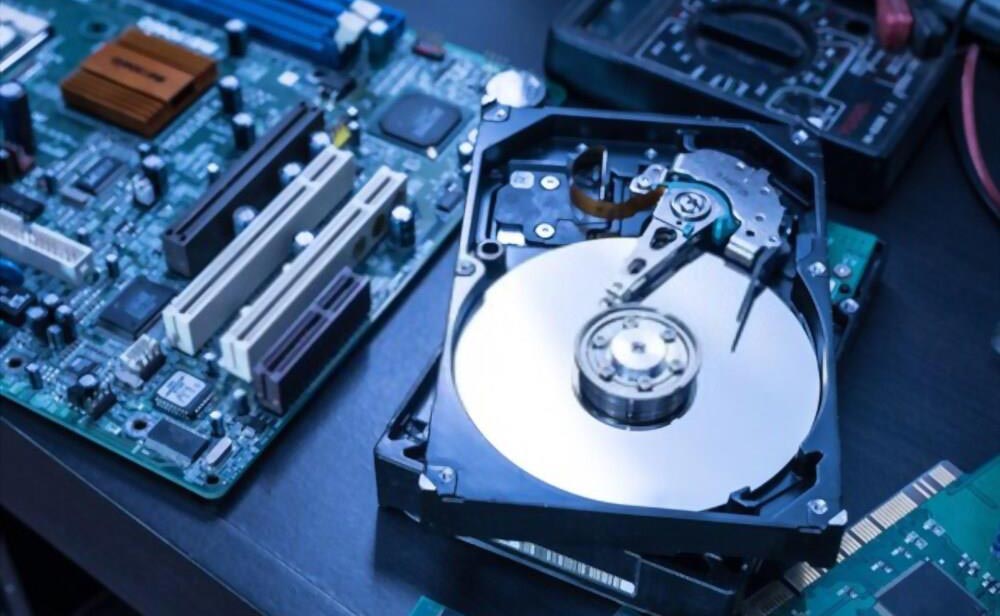
The hard drive is one of the most critical components of a computer, as it stores essential data—photos, documents, and important files. But what happens when your hard drive becomes damaged or unreadable? Losing this data can be a nightmare, but there are ways to recover it. In this article, we’ll explore how to recover data from a damaged hard drive and tips for maintaining your drive to prevent future issues.
Why Data Recovery Matters
Data is more valuable than ever before. From personal memories like wedding photos to vital business files, data plays an integral role in daily life. In fact, for individuals, the loss of data can be emotionally and financially devastating, while large companies can lose thousands—or even millions—of dollars if their data is lost.
The hard drive is where most users store their data, and larger companies often rely on servers built with hard drives. As such, understanding how to recover data from a damaged hard drive is critical, especially since data loss can happen without warning.
How to Properly Maintain Your Hard Drive
To minimize the risk of hard drive failure, it’s essential to follow regular maintenance practices. Proper upkeep can help extend the life of your drive and reduce the likelihood of data loss.
Here are some crucial steps to maintain your hard drive:
1. Check for Logical Errors
For Windows users, periodically checking your hard drive for logical errors is a vital step. As your hard drive ages, it may develop issues like bad sectors that can cause problems with file access and data corruption.
You can use the CHKDSK command to identify and fix disk errors. This tool scans the drive for bad sectors, attempts to repair them, and ensures your system runs smoothly. Learn more about CHKDSK in our article “How to Check Your Disk for Errors and Fix Them.”
2. Scan for Malware
Malware, including viruses and adware, can cause significant harm to your hard drive. It can corrupt files, compromise the operating system, and even lead to drive failure. To safeguard your data, regularly scan your drive for viruses using an antivirus program, whether free or paid.
3. Service Your Computer Regularly
It’s a good idea to have your computer serviced by a professional service center. This includes dust cleaning, checking important components, and inspecting wires for damage. Regular maintenance helps prevent overheating, electrical issues, and physical damage, which can all lead to hard drive failure.
While some users may attempt home maintenance, it’s only recommended for advanced users who are familiar with the inner workings of a computer. Choosing a reputable service center is essential to ensure your hardware is handled properly and your data remains safe.
4. Use Your Laptop on a Flat Surface
For laptop users, ensuring proper airflow and reducing physical shocks can significantly extend the lifespan of the hard drive. Using your laptop on a hard, flat surface helps with cooling, and placing it on a cooling pad can further enhance airflow, minimizing the risk of overheating. Cooling pads are widely available online and at computer stores.
Data Recovery from a Damaged Hard Drive
Despite best efforts to maintain your hard drive, issues can still arise. If your hard drive becomes damaged, there are several methods to attempt data recovery.
Step 1: Try Built-in Recovery Tools
Before seeking professional help, it’s worth trying built-in recovery tools like CHKDSK (for Windows) or Disk Utility (for Mac). These tools can often identify and repair minor disk issues, potentially allowing you to access your files again.
Step 2: Use Data Recovery Software
If built-in tools don’t work, you can use data recovery software. Popular programs like Recuva (Windows) or EaseUS Data Recovery Wizard offer free or trial versions that scan your hard drive for lost files. These tools are user-friendly and can help recover files from damaged or corrupted drives.
Step 3: Consider Professional Data Recovery Services
If your hard drive has physical damage (e.g., clicking noises, failure to spin up), using DIY recovery tools may not be effective. In such cases, it’s best to contact professional data recovery services. These experts have specialized equipment to recover data from severely damaged drives, often with higher success rates.
Conclusion
Losing data due to a damaged hard drive can be a significant blow, but by following best practices for maintenance, you can reduce the risk of failure. In case of damage, using recovery software or seeking professional help can often restore your lost files. Always remember to back up important data regularly to avoid total loss in the event of an emergency.
By maintaining your hard drive and taking immediate action if damage occurs, you can protect your valuable information for years to come.